Switch Your Medical Billing Software
The switch you keep putting off, run as a planned project keeping claims flowing and client cash flow intact.
Why Choose Us?

No Hidden Fees

No Surprise Pricing

Real Support from People Who Know Medical Billing
You Know You Outgrew the Platform. The Fear Is the Switch
Owners stay on software they dislike for one reason: the fear migrating will disrupt client cash flow and damage the relationships they worked to build. So the manual work piles up, the margin leaks, and the switch keeps getting pushed to next quarter.
The disruption owners fear comes from rushed migrations with no plan, no parallel period, and no bridge to the old data. Sequenced correctly, a migration is a project with a known path, not a gamble with your clients’ revenue.
Outdated EHR systems can create financial challenges beyond migration concerns, including inefficient workflows, additional administrative work, and potential revenue losses. Learn more about the financial implications of outdated EHR systems and why evaluating your current technology can help your practice make informed decisions about upgrading.
What the Platform Does

A Mapped Data Export and Import
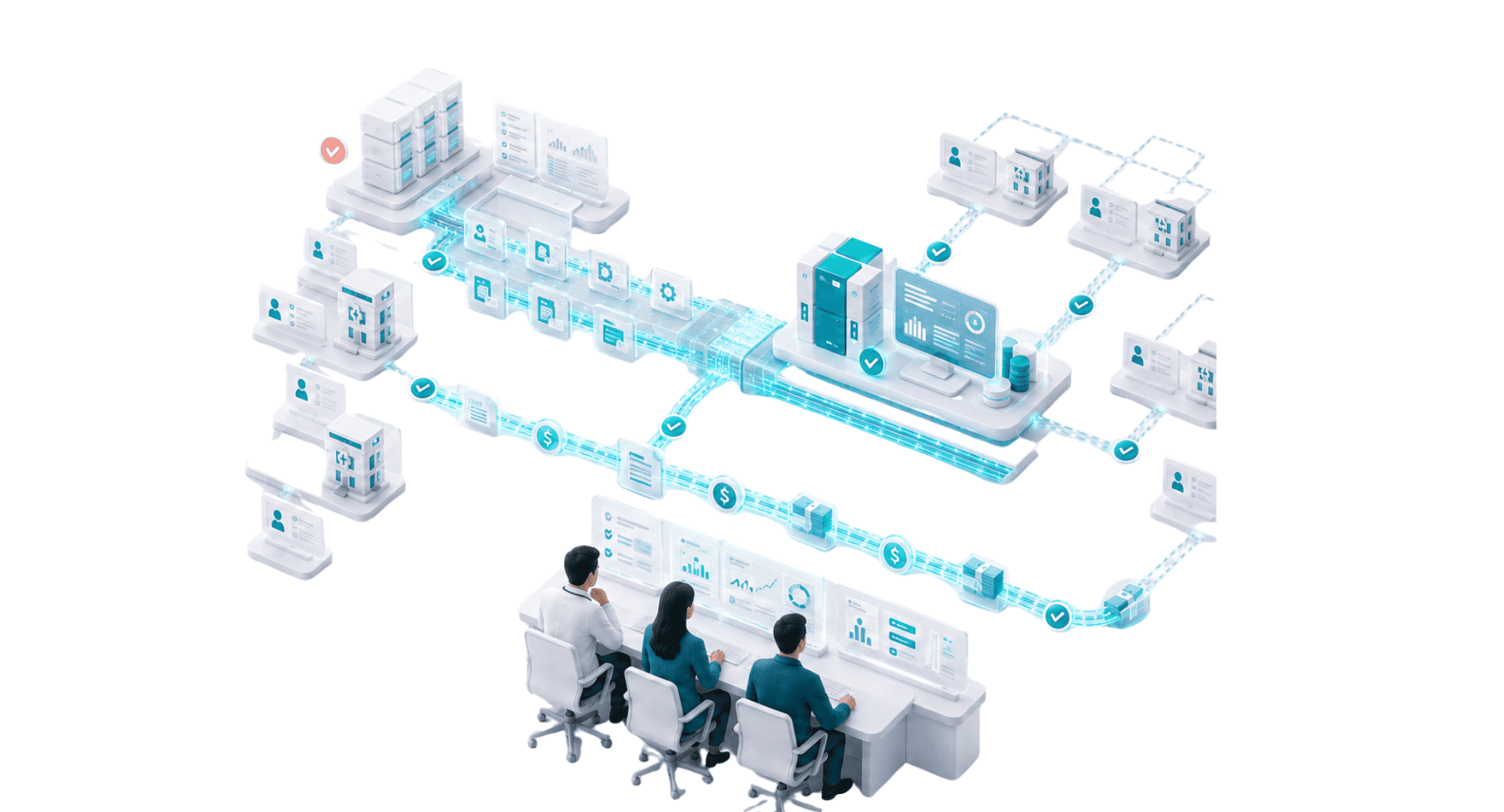
Patient records, payer setups, and open A/R get exported, mapped, and loaded into your new workspace with a reconciliation step, so nothing is lost and nothing is guessed at.

A Parallel Period Before Cutover
Run the new platform alongside the old for a defined window, so you check claims, payments, and reporting before you commit. The old system stays readable for open A/R during the bridge.

A Cutover Timed to Protect Cash Flow
Time the switch around the claim cycle so submitted claims keep flowing and no revenue falls into the gap. Sequencing, not luck, is what keeps client cash flow intact.

Migration Support Built for Billing Companies
You are not moving one practice. You are moving a book. The migration accounts for multiple client practices, each isolated, each with its own payers and open balances, rather than treating your business as a single account.
How the Migration Runs
Pull patient, payer, and open A/R data from the current system and map it to the new workspace.
Import into isolated client workspaces and reconcile balances before anything goes into production.
Check claims, payments, and reports against the old system for a defined window.
Switch at a point in the claim cycle keeping submissions flowing and cash landing.
What You Gain on the Other Side
The manual work the old tool forced on your team goes away. Isolated client workspaces, roll up reporting, automation before submission, and white label branding replace the workarounds. And the platform stops taxing every new client, so the account math making growth painful starts working for you.
A Migration Checklist to Protect Cash Flow
A planned migration is a project, not a gamble. Work through these before you cut over.
- Export patient, payer, and open A/R data from the current system
- Map the data to the new workspace and reconcile balances
- Keep the old system readable for open A/R during the bridge
- Run a parallel period to check claims, payments, and reporting
- Time the cutover to a point in the claim cycle keeping submissions flowing
- Move clients in waves rather than all at once where it lowers risk
Go Deeper on the Decision
Related guides on choosing and running your platform.
- How to Choose an EHR for Your Primary Care Practice
- How Much Does an EHR Cost for a Small Practice
- How to Get Medical Billing Clients
- Medical Billing Clearinghouse and Claim Management
- Medical Biller Productivity and Staffing
- How to Grow Your Medical Billing Company
- How to Start Medical Billing Company
- Medical Billing Service Pricing Guide
- Medical Billing Software for RCM Companies
- Denial Management Software for Billing Companies
Why HARRIS CareTracker
HARRIS CareTracker is built for billing companies, so the platform you migrate to is designed around a book of clients rather than one practice.
Map your Migration before you Commit
Book a switch assessment and we will scope the data export, the parallel period, and the cutover with your clients’ cash flow protected at every step.
FAQs
How do I switch my billing company off Tebra or AdvancedMD?
How hard is it to migrate client data to a new billing platform?
Will switching platforms disrupt my clients' cash flow?
What should I look for when choosing a new billing platform?
How long does a billing platform migration take?
What data moves to a new platform?
Will I lose my historical data when I switch?
Should I migrate all clients at once or in waves?
What is a parallel period in a migration?
What Our Customers Say About Us
We chose HARRIS CareTracker for our office because of its cost-effectiveness and since changing to them, we have seen a significant increase in our monthly savings. The standout feature has been the excellent customer support and training!

Tara Warnock
Billing Specialist | Naples Vascular Specialists
It’s really easy to use HARRIS CareTracker Practice Management. Very easy to learn.

Lauren O'Brien
Billing Manager | New England OB/GYN
We have used HARRIS CareTracker in our practice for 5 years, and it has been a wonderful experience. The trainers and on-going support teams are knowledgeable, accessible, and quick to respond to queries. They provided easy-to-follow step-by-step guidance for using the software. They never failed me. I highly recommend CareTracker for practices of any size.
Linda S. Erickson
Billing Specialist | John A. Nassar, MD
Get Started Today
Connect With Us
We are here for anything you need, just drop a line and we’ll get back to you.