Cloud Based vs Server Based EHR for a Private Practice
Where the software runs shapes cost, security, and daily reliability. For most small practices, the cloud is the practical answer.
Why Choose Us?

No Hidden Fees

No Surprise Pricing

Real Support from People Who Know Medical Billing
Cloud vs. Server-Based EHR: Which Is Right for Your Practice?
One decision shapes cost, security, and how the software feels every day: does the EHR run in the cloud, reached through a browser and hosted by the vendor, or on a server in your building, owned and maintained by you. For a small practice, the deployment choice is not a technical footnote. It decides whether you buy and babysit hardware, who is responsible when the system goes down, and whether a physician charts from home. This guide compares the two on the terms mattering to an independent practice.
Adoption of EHRs is near universal among office based physicians, at 95 percent, though solo and the smallest practices lag, near 80 percent certified (Source: ONC data brief), according to HealthIT.gov, because running the technology is hardest for the smallest offices. The direction of the market is clear. Small practices are moving to cloud based systems (Source: Black Book survey via Healthcare Dive) because the model fits how they operate: no server to run, predictable monthly cost, and a vendor handling the security and backups a small office is least equipped to manage. A server based system still has a place in specific situations, but for most independent primary care practices the cloud lowers both the cost and the risk.
What Cloud and Server Mean
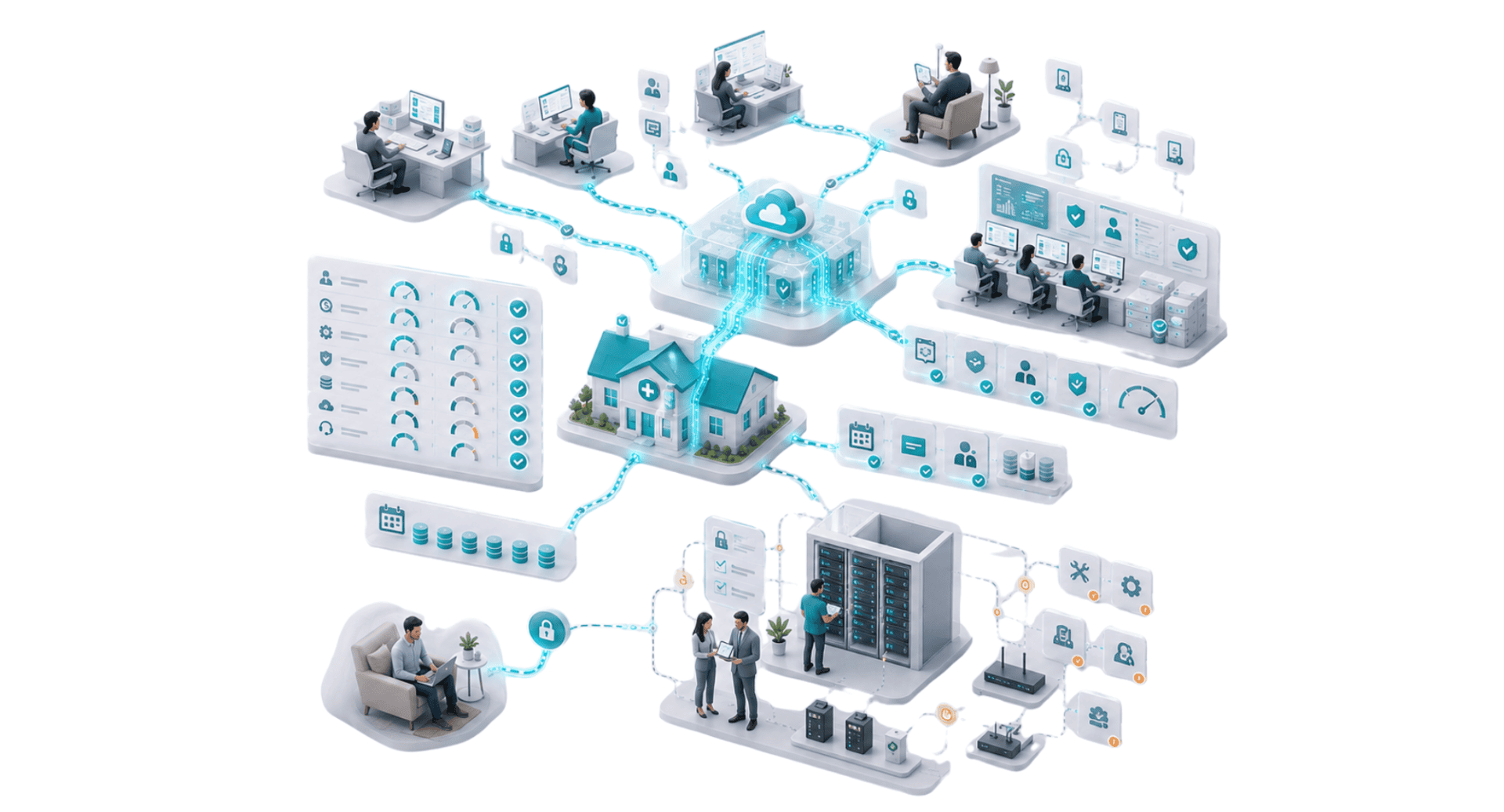
A cloud based, or web based, EHR runs on the vendor’s servers and is reached through a browser. The practice stores nothing on local hardware beyond the devices staff work on, and the vendor handles hosting, security, updates, and backups (Source: ONC hosted EHR primer). A server based, or on premise, system runs on hardware physically in your office. The practice owns the server, the data sits in the building, and the responsibility for maintaining, securing, and backing it up belongs to the practice.
The distinction drives everything following. Cloud shifts the hardware, the maintenance, and much of the risk to the vendor for a recurring fee. On premise keeps control and the data in house, and with it every cost and duty of running enterprise software. HARRIS CareTracker is delivered in the cloud, so a practice runs it through a browser with no server to own.
Cost: Predictable Subscription vs Upfront and Ongoing
The cost structures differ in shape, not only size. A cloud platform is a predictable operating cost, a subscription per provider per month with updates and backups included (Sources: ONC hosted EHR primer; HIPAA Journal). A server based system is a large upfront purchase, the software license plus server hardware, followed by ongoing costs for maintenance, security, backups, and the IT support to run it. For a small practice, the upfront and staffing burden of on premise is the harder part to carry.
The cost guide in this cluster covers the full comparison, but the pattern is consistent: the cloud removes the capital purchase and the hardware line, and replaces the practice’s IT burden with a fee. For a practice without dedicated IT staff, the trade usually lands in the cloud’s favor.
Security, Backups, and Uptime
Security is the concern owners raise first about the cloud, and on inspection it usually favors the cloud for a small practice (Sources: HIPAA Journal; HHS guidance on HIPAA and cloud computing). A trusted cloud vendor invests in encryption, monitoring, patching, and redundancy at a scale a single small office cannot match, and it applies security updates around the clock rather than when a busy practice gets to them. On premise, the practice owns every safeguard, and the weak link is usually a patch never applied or a backup never tested.
Backups and uptime follow the same reasoning. A cloud platform backs up data automatically and runs redundant systems, so a failed drive or a flooded office does not erase the record. On premise, disaster recovery is only as good as the practice’s own backups and its plan to restore them (Source: HIPAA Journal on Security Rule contingency planning). HARRIS CareTracker handles hosting, security, and backups as part of the service, so a small practice gets protection it would struggle to build and maintain on its own.
Access, Updates, and Continuity
A cloud system frees the practice from its own four walls. A physician charts from home, covers a second location, or reviews results on the road, all through a browser, and updates arrive automatically without a paid upgrade project or a weekend of downtime (Source: ONC hosted EHR primer). A server based system ties access to the building or to a remote connection the practice sets up and secures, and each major upgrade is a project the practice schedules and pays for.
For a growing or multi site practice, cloud access is close to necessary, and even a single location benefits from charting flexibility and hands off updates. The continuity a cloud platform gives, working through an office closure, a move, or a disaster, is hard to replicate on hardware living in one room.
When a Server Based System Makes Sense
On premise is not obsolete. A practice with capable in house IT wanting the data physically in house, an office in an area with unreliable internet, or an organization with a specific control or compliance requirement reasonably chooses a server based system, because it has the people and the reasons to run it. The choice comes down to who will own the hardware, the security, and the uptime.
For an independent primary care practice running one to ten physicians without dedicated IT, those duties find no natural owner, so a server tends to become a burden rather than an asset. In this common case the cloud is the practical answer, and it is why practices this size moved toward web based systems.
Choosing Your Deployment
Weigh these before you decide where the software runs.
- Is there IT staff to run and secure a server
- Are you able to carry a large upfront hardware and license cost
- Who patches, backs up, and monitors the system
- Do physicians need to work from home or a second location
- How would you recover from a hardware failure or office disaster
- Do updates arrive automatically or as paid projects
- Is your internet reliable for a browser based system
Go Deeper on the Decision
Related guides on choosing and running your platform.
- How to Choose an EHR for Your Primary Care Practice
- How to Switch EHR Systems Without Disrupting Your Practice
- Medical Billing Software for RCM Companies
- How to Get Medical Billing Clients
- Switch Medical Billing Software Without the Risk
- Medical Billing Clearinghouse and Claim Management
- Medical Biller Productivity and Staffing
- How to Grow Your Medical Billing Company
- How to Start Medical Billing Company
- Medical Billing Service Pricing Guide
- Medical Billing Software for Billing Companies
- Denial Management Software for Billing Companies
- Multi Practice Medical Billing Management Software
A Cloud Platform With No Server to Run
HARRIS CareTracker is delivered in the cloud, so a practice runs the certified EHR, practice management, and billing through a browser with no server to buy, patch, or back up. Hosting, security, and updates are handled as part of the service, and physicians reach the system securely from any location. It is part of HARRIS Healthcare, owned by Constellation Software, with full HIPAA compliance.
For a small practice, this removes the hardware cost, the IT burden, and the disaster recovery worry a server based system carries, and replaces them with a predictable subscription and protection built at a scale a single office cannot match.
Who this guide is for. This guide is for an independent primary care owner or administrator deciding whether to run a cloud based or server based EHR.
See a Cloud Platform Built for Small Practices
Book a walkthrough of HARRIS CareTracker and see the certified cloud EHR your practice would run through a browser, with no server to maintain.
FAQs
Is a cloud based EHR a stronger fit than a server based one?
Is a cloud EHR secure?
What happens to my data if the internet goes down with a cloud EHR?
Who backs up the data in a cloud EHR?
Is a cloud EHR accessible from home or another location?
When does a server based EHR make sense?
Does a cloud EHR update automatically?
Is HARRIS CareTracker cloud based?
What Our Customers Say About Us
We chose HARRIS CareTracker for our office because of its cost-effectiveness and since changing to them, we have seen a significant increase in our monthly savings. The standout feature has been the excellent customer support and training!

Tara Warnock
Billing Specialist | Naples Vascular Specialists
It’s really easy to use HARRIS CareTracker Practice Management. Very easy to learn.

Lauren O'Brien
Billing Manager | New England OB/GYN
We have used HARRIS CareTracker in our practice for 5 years, and it has been a wonderful experience. The trainers and on-going support teams are knowledgeable, accessible, and quick to respond to queries. They provided easy-to-follow step-by-step guidance for using the software. They never failed me. I highly recommend CareTracker for practices of any size.
Linda S. Erickson
Billing Specialist | John A. Nassar, MD
Get Started Today
Connect With Us
We are here for anything you need, just drop a line and we’ll get back to you.